What Is Stick Drift? Causes, Signs and How to Check Any Controller
Stick drift is a controller fault where an analog stick sends movement to your game even though nobody is touching it. That small ghost input can turn your camera, walk your character into danger or pull your aim away, which is why stick drift ranks among the most common complaints from PlayStation, Xbox and Nintendo Switch owners.
This guide explains what is really happening inside your controller, how to spot early warning signs, and how to measure drift with real numbers before you spend money on repairs.
⚡ Key Takeaways
- Drift happens when worn or dirty stick sensors report movement at rest.
- Early signs include slow camera creep, menus scrolling alone and shaky aim.
- Measuring drift tells you whether deadzones, cleaning or repairs make sense.
Free check · 5 seconds
Think your controller is drifting?
Our free stick drift test reads both sticks at rest and shows your exact offset, so you know right away whether drift is real.
What Is Stick Drift?
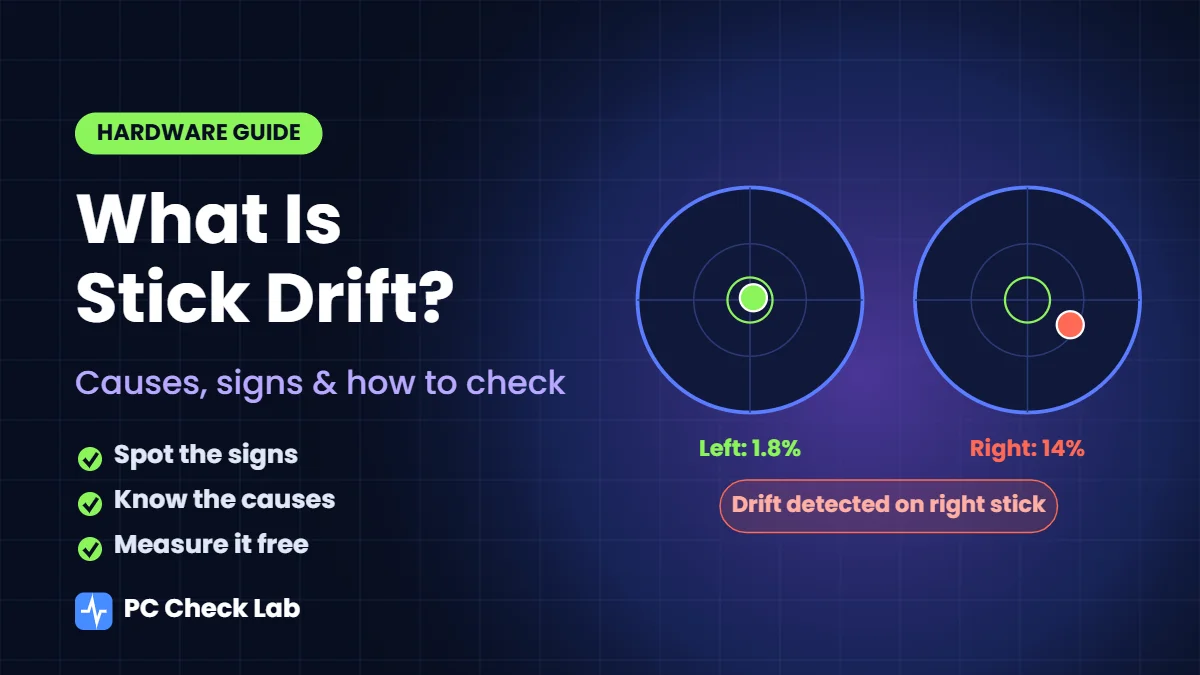
Every analog stick reports two values, one for left and right and one for up and down, and both should read zero when your thumb lets go. Stick drift means one or both values stay above zero at rest, so your console believes you are still pushing that stick. Games ignore tiny readings through deadzones, but drift starts causing trouble once readings grow larger than those deadzones.
Early Warning Signs to Watch For
Drift usually starts quietly, so many players blame lag or their own aim for weeks. Watch for these patterns during normal play sessions over a few days.
| What you notice | Where it shows up |
|---|---|
| Camera slowly turns or tilts on its own | Shooters like Call of Duty, Fortnite and Apex Legends |
| Character walks or creeps without input | Open-world games like Elden Ring and Minecraft |
| Menus scroll by themselves | Console dashboards and in-game settings screens |
| Aim shakes or slides off targets | Precise aiming moments and sniper scopes |
| Car steers slightly left or right | Racing games like Gran Turismo and Forza |
What Causes Stick Drift?
Most controllers sold today, including DualSense, Xbox Wireless Controllers and Joy-Con, read stick position with potentiometers. Inside each one, small metal wipers slide across resistive tracks, and every movement scrapes away a tiny layer of material. After thousands of hours, worn tracks and loose wipers send uneven signals, especially around center where sticks spend most of their time.
Dirt makes things worse much sooner, because skin oil, crumbs and dust slip under rubber caps and sit between contacts. Weak centering springs, drops onto hard floors, moisture and heat can also stop sticks from returning to true zero.
How to Check for Stick Drift
Feeling drift is easy, but measuring it shows exactly how serious it has become. Follow these steps on any PC, Mac, Chromebook or Android phone.
- Connect your controller by USB cable or Bluetooth, then press any button so your browser detects it.
- Place it on a flat surface and keep both thumbs off both sticks.
- Start a resting drift test and wait five seconds while it records each stick.
- Read max offset for each stick, then compare it with this table.
| Max offset at rest | What it means |
|---|---|
| Under 3% | Healthy stick with no meaningful drift |
| 3% to 8% | Normal noise that default deadzones hide |
| 8% to 15% | Mild drift worth cleaning and watching |
| Over 15% | Strong drift that usually needs repair or replacement |
Run that check every few weeks, because rising numbers reveal wear long before games become unplayable.
Drift on PS5, Xbox, Switch and PC Controllers
Every platform handles drift a little differently, so fixes depend on which controller you own.
PS5 DualSense
PS5 consoles offer no stick calibration menu, so DualSense owners rely on resetting, cleaning, deadzones and Sony repairs. Our step-by-step guide on how to fix PS5 stick drift walks through all seven fixes in order.
Xbox Wireless and Elite Series 2
Xbox consoles also lack stick calibration, although the Xbox Accessories app lets Elite Series 2 owners adjust thumbstick sensitivity curves. Those curves change feel rather than fixing drift, so cleaning and deadzones remain your main tools.
Nintendo Switch Joy-Con and Pro Controller
Joy-Con sticks are small and drift often, yet Nintendo includes built-in calibration under System Settings, then Controllers and Sensors, then Calibrate Control Sticks, as shown on Nintendo’s calibration support page. Calibration helps with mild offset, while worn sticks still need replacement.
Steam Deck and PC Controllers
Steam Deck lets you view live joystick input and widen deadzones under Settings, then Controller, then Calibration and advanced settings. PC pads from 8BitDo, GameSir and similar brands often include companion apps with their own deadzone controls.
Potentiometer vs Hall Effect vs TMR Sticks
Newer controllers increasingly use magnetic sensors, which changes how likely drift becomes over time.
| Stick type | How it reads position | Drift risk |
|---|---|---|
| Potentiometer | Metal wipers rubbing resistive tracks | Highest, because contacts wear down |
| Hall effect | Magnet and sensor with no rubbing contact | Low, since sensing parts never touch |
| TMR | Magnetic sensing with tunnel magnetoresistance chips | Low, often with lower power draw |
Magnetic sticks still contain springs and moving parts, so they can loosen over years, yet they avoid contact wear behind most drift complaints.
Drift or Something Else?
Some problems look like drift but come from elsewhere, so rule them out before planning repairs. Characters that keep running after you release a stick can point to sticky key bindings or auto-sprint settings inside that game. Inputs that cut in and out usually mean weak batteries, Bluetooth interference or a loose USB cable rather than worn sensors. Torn or loose rubber caps can also make sticks feel off center, so replacing a cheap cap sometimes solves what seemed like serious wear. If readings stay near zero in a resting test while problems continue, look at game settings and connections first.
Can Stick Drift Be Fixed?
Yes, in many cases, although the right fix depends on how severe your readings are. Mild drift often disappears after cleaning or a small deadzone increase, while strong drift caused by worn potentiometers usually needs warranty service, a replacement stick or a magnetic upgrade. Whatever route you choose, test again afterward, because fresh numbers confirm whether that repair worked or whether wear is still building inside those sticks.
Frequently Asked Questions
Is stick drift a hardware or software problem?
Almost always hardware, because worn contacts and dirt inside the stick create false readings. Software settings like deadzones can hide drift, but they cannot repair worn parts.
Can drift damage my console?
No, drift only affects controller input and cannot harm your PS5, Xbox, Switch or PC. It simply sends unwanted movement to whatever game you are playing.
Does drift get worse over time?
Usually yes, since contact wear keeps building with every session. Drift caused by dirt can shrink after a careful clean, so compare readings from before and after.
Do Hall effect controllers ever drift?
They drift far less often because magnetic sensors avoid rubbing contacts. Springs and mounts can still loosen after years of heavy use, which may cause small offsets.
How often should I test my controller?
Testing every few weeks catches rising readings early, and testing after drops or spills is also smart. Five seconds per check is enough to spot changes.
Catch Drift Early and Save Your Controller
Stick drift rarely appears overnight, and spotting it early gives you time to clean, adjust deadzones or claim warranty before matches suffer. Measure both sticks today, note your numbers, and compare them every few weeks. For everything else on your desk, our free hardware tester checks mice, GPUs, microphones and MIDI gear without any download.
Works with PS5, Xbox, Switch and PC
Get real drift numbers in five seconds
Connect any controller, press one button and see resting offset, a rating and a suggested deadzone for both sticks.